The ul189 App
Fits in Your Pocket
Crash games, card tables, football odds and instant bKash deposits — all inside a 32 MB APK built for Bangladeshi Android phones. Download free, install in two minutes.
ul189.apk · 32 MB · Android 8.0+ · Free
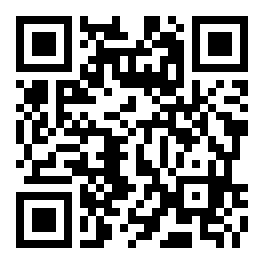
Scan to download
What This App Puts in Your Hands
Six core areas — all optimised for mobile screens and Bangladesh network conditions.
Crash & Instant Games
Play Crash by KA Gaming and Monster Crash by JDB directly from the app. Bet from ৳10, cash out before the multiplier drops. The app renders the live curve smoothly even on 3G connections, so you won't miss your exit point mid-round.
Card Games & Table Stakes
Teen Patti Joker, Andar Bahar, Rummy and Joker Poker are all available in the ul189 app. Minimum bet starts at ৳1 on most card titles. Tables load in under three seconds thanks to lightweight asset streaming built into the APK.
Football & Cricket Odds
Live odds for Premier League, BPL, IPL and T20 internationals update in the app without page reloads. Tap a match, choose 1X2 or Asian handicap, and confirm your slip in seconds. Check the Football Betting Guide for full market coverage.
Fishing Arcade
Fishing Disco (PG Soft), Fishing Kui Li (Habanero), Gold Toad Fishing and Relax Fishing run on the app with touch controls optimised for phone screens. Minimum bet ৳1. The app handles the multiplayer cannon animations without overheating mid-tier Android devices.
bKash & Nagad Deposits
Top up your ul189 account with bKash, Nagad, Rocket or Bank Transfer without leaving the app. Minimum deposit ৳300. Funds arrive in about 4 minutes. The app keeps your payment details encrypted locally so you don't re-enter them every time.
24/7 Live Chat Support
The in-app live chat connects you to the ul189 support team any hour of the day. If a withdrawal is delayed, a game freezes or you need KYC help, tap the chat icon from any screen. Average first response is under two minutes during peak hours.

Security & What the App Accesses
The ul189 APK requests only what it needs to run. Here is what each permission covers and why it is there.
Install the ul189 APK on Android
The process takes about two minutes on any Android 8.0+ phone. Follow these five steps in order.
-
1
Allow Installation from Unknown Sources
Open your phone's Settings → Security → Install Unknown Apps (exact path varies by Android version). Find your browser or file manager in the list, then toggle "Allow from this source" to on. This one-time setting tells Android to accept APK files downloaded outside the Play Store. You can turn it off again after installation.
-
2
Download the APK File
Tap the Download APK button on this page. Your browser saves ul189.apk (32 MB) to your downloads folder. On slow connections the download takes under a minute. Wait for the browser notification that says the download is complete before moving to the next step — a partial APK will not install correctly.
-
3
Open the Downloaded File
Pull down your notifications panel and tap the ul189.apk entry, or open your phone's Files / My Files app and navigate to the Downloads folder. Tap the file. Android shows a prompt listing the permissions the app requests. Review them and tap Install. The install finishes in about ten seconds.
-
4
Open the ul189 App
Once Android shows "App installed", tap Open or find the ul189 icon on your home screen. The app loads the lobby, which lists Crash games, card tables and sports odds. If you see a blank screen for more than five seconds, close the app and reopen it — first launch sometimes needs an extra moment to cache assets.
-
5
Log In or Register
Tap Log In if you have an existing ul189 account, or tap Register to create one — the sign-up form takes about 90 seconds to complete. After logging in, go to Deposit → bKash (or Nagad / Rocket), enter ৳300 or more, and confirm the payment in your mobile banking app. Your balance appears within 4 minutes. See also: Register Guide and Login Help.
Add ul189 to Your Home Screen
The ul189 app is an Android APK and cannot be installed on iPhone. iOS users can pin the site as a web app instead — it loads the full casino lobby without an App Store download.
- Open Safari and go to ul189.lat
- Tap the Share button (box with arrow)
- Scroll down and tap "Add to Home Screen"
- Name it "ul189" and tap Add
- Open the icon from your home screen — it launches full-screen


System Requirements & Version Details
Check these figures before downloading — they come directly from the ul189 app release notes.
| Field | Detail | Notes |
|---|---|---|
| App Version | 3.0.12 | Latest stable release as of November 2026 |
| File Name | ul189.apk | Do not rename — Android uses the filename to match updates |
| File Size | 32 MB | Downloads in ~40 seconds on a 7 Mbps connection |
| Minimum Android | Android 8.0 (Oreo) | Works on Android 8 through 15; tested on Samsung, Xiaomi, Realme, Tecno |
| Last Updated | 10 Nov 2026 | Update frequency: roughly every 6–8 weeks |
| Price | Free | No install fee; standard data charges from your carrier apply |
| Language | English / Bangla | Switch in Settings → Language at any time |
| iOS Availability | Web app only | Use Safari "Add to Home Screen" — full lobby, no App Store needed |
App vs Web Browser — Side by Side
Both options give you the full ul189 casino. The app wins on speed and convenience; the browser wins on instant access from any device.
| Feature | ul189 App | Web Browser |
|---|---|---|
| Install required | APK · 32 MB | None |
| Works on Android 8.0+ | ||
| Works on iOS | — | |
| Push notifications for odds changes | — | |
| Game load speed | Faster (cached assets) | Standard |
| Deposit with bKash in-app | ||
| Minimum deposit | ৳300 | ৳300 |
| Auto-login (remembered session) | Depends on browser | |
| Landscape mode for sports odds | ||
| Live chat support | 24/7 | 24/7 |
| Number of games available | 2,600+ | 2,600+ |
The ul189 Casino lobby — including all game categories — is identical on app and web.
Fix Common Install Problems
If the APK does not install or the app won't open, check this table first before contacting support.
| Problem | Likely Cause | Solution |
|---|---|---|
| "Install blocked" message | "Install unknown apps" is still off for your browser or file manager. | Go to Settings → Security → Install Unknown Apps, find your browser (Chrome, Firefox) or file manager, and toggle it on. Then tap the APK file again from your notifications or Downloads folder. |
| "App not installed" error | The APK file is incomplete — the download was cut off before finishing, or storage was full. | Delete the partial ul189.apk from your Downloads folder. Free up at least 100 MB of storage, then re-download the APK using a stable Wi-Fi or 4G connection. Wait for the download complete notification before opening. |
| App opens to a blank white screen | The app is trying to load assets on first launch but the connection is too slow or dropped out. | Close the app completely (remove from recents), check your internet connection, then reopen ul189. If the issue repeats, uninstall the app, re-download the APK from this page, and reinstall fresh. |
| Login fails after install | Wrong password, account not yet verified, or the app cache is out of sync with the server. | Tap "Forgot Password" on the login screen to reset via your registered phone number. If you are new, complete the registration first — the app login requires an active ul189 account. |
| App crashes after update | The old cached data conflicts with the new APK version, or the update download was interrupted. | Go to Settings → Apps → ul189 → Storage → Clear Cache. Reopen the app. If it still crashes, uninstall completely and reinstall from the fresh APK download link above. Your account balance and history are stored server-side and are not affected by reinstalling. |
Still stuck? Open 24/7 live chat inside the app or on the website — the team handles install issues in real time.
Get the ul189 APK — 32 MB, Runs on Android 8.0+
One file. Every game, every market, every deposit method — optimised for Bangladeshi Android phones.
-
Crash & card games load in seconds
KA Gaming Crash, Teen Patti Joker and Andar Bahar stream smoothly over 3G. Lightweight asset bundling keeps data use low.
-
Touch-first controls for every game type
Fishing arcade cannons, live odds slips and card tables are all built for thumb navigation. No pinch-to-zoom needed.
-
bKash & Nagad in the same screen
Deposit from ৳300 via bKash or Nagad without leaving the app. Withdrawals of ৳1,000+ process in about 25 minutes.
-
Live match alerts & odds updates
BPL, IPL and Premier League odds refresh in-app without page reloads. Enable push alerts so you never miss a line movement.
Scan to download
Android only · 32 MB
Questions About the ul189 App
01 Is the ul189 APK safe to install?
Yes. The ul189.apk is served directly from ul189.lat over HTTPS, so the file cannot be intercepted and modified in transit. The APK is signed with a developer certificate that Android verifies before installation — if the signature does not match, Android blocks the install automatically. The app requests only internet permission at install time; no camera, microphone or contacts access is required. Download only from this page or the official site to avoid unofficial copies.
02 Why is the ul189 app not on the Google Play Store?
Google Play does not allow real-money gambling apps in markets where they are not explicitly licensed under Play's regional policies. This affects most of South Asia, including Bangladesh. The ul189 APK is therefore distributed directly from this page. Direct APK distribution is standard practice for gaming platforms in this region. The installation process — enabling "unknown sources" once — is a normal Android feature designed exactly for this purpose.
03 What Android version do I need?
The ul189 app requires Android 8.0 (Oreo) or later. This covers the vast majority of Android phones sold in Bangladesh since 2018, including mid-range Xiaomi, Samsung Galaxy A-series, Realme and Tecno devices. To check your version: Settings → About Phone → Android Version. If you are on Android 7 or lower, use the browser version at ul189.lat instead — it works on older devices without any install.
04 How do I update to the latest version?
The app checks for updates each time it launches. When a new version is available, a banner appears on the home screen with an "Update Now" button. Tapping it downloads the new APK and installs it over your existing version — your account and settings are preserved. You can also manually re-download the APK from this page at any time. The current version is 3.0.12, last updated 10 November 2026. Staying updated ensures you get the latest games and security patches.
05 Will the ul189 app drain my battery or use too much mobile data?
Battery use depends on how long you play and which games are open. Crash and fishing games with animation are more demanding than card games or sports betting. For long sessions, keeping your phone plugged in is a good habit. On mobile data, Crash and live tables use roughly 2–5 MB per minute. Slots and card games use less. Set a data usage alert in your phone's settings if you are on a capped plan. Wi-Fi is recommended for extended play.
06 Can I use my existing ul189 account on the app?
Yes. Download and install the ul189 app, then tap "Log In" on the first screen. Enter the phone number and password you registered with. Your balance, bonus status, VIP level and game history all carry over — the app and website share the same account. If you do not have an account yet, tap "Register" inside the app or visit the registration page — it takes about 90 seconds to sign up.
07 Can I deposit with bKash directly in the app?
Yes — bKash, Nagad, Rocket and Bank Transfer are all available from the Deposit section inside the ul189 app. Minimum deposit is ৳300. After you confirm the payment in your bKash or Nagad app, funds appear in your ul189 balance within about 4 minutes. The app stores your deposit method preference so you do not have to re-enter details each time. For a full walkthrough, see the Deposit Guide.
Download the app, create your account and claim the first deposit bonus — ৳300 minimum to get started.
Download ul189 APK Register AccountVersion 3.0.12 · 32 MB
Android 8.0+
Min deposit ৳300
Deposits arrive in ~4 min
18+ · Play Responsibly
- 18+ Only
- SSL Encrypted
- 24/7 Support
- bKash & Nagad